We use cookies to enhance your experience. Learn more
Every network & system tool you need, in one clean app. View connections, monitor live speeds, ping hosts, and read full PC hardware info — with a modern, tabbed interface that just makes sense. Completely free.
A complete network & system toolkit with a clean, tabbed interface — no clutter, no cost.
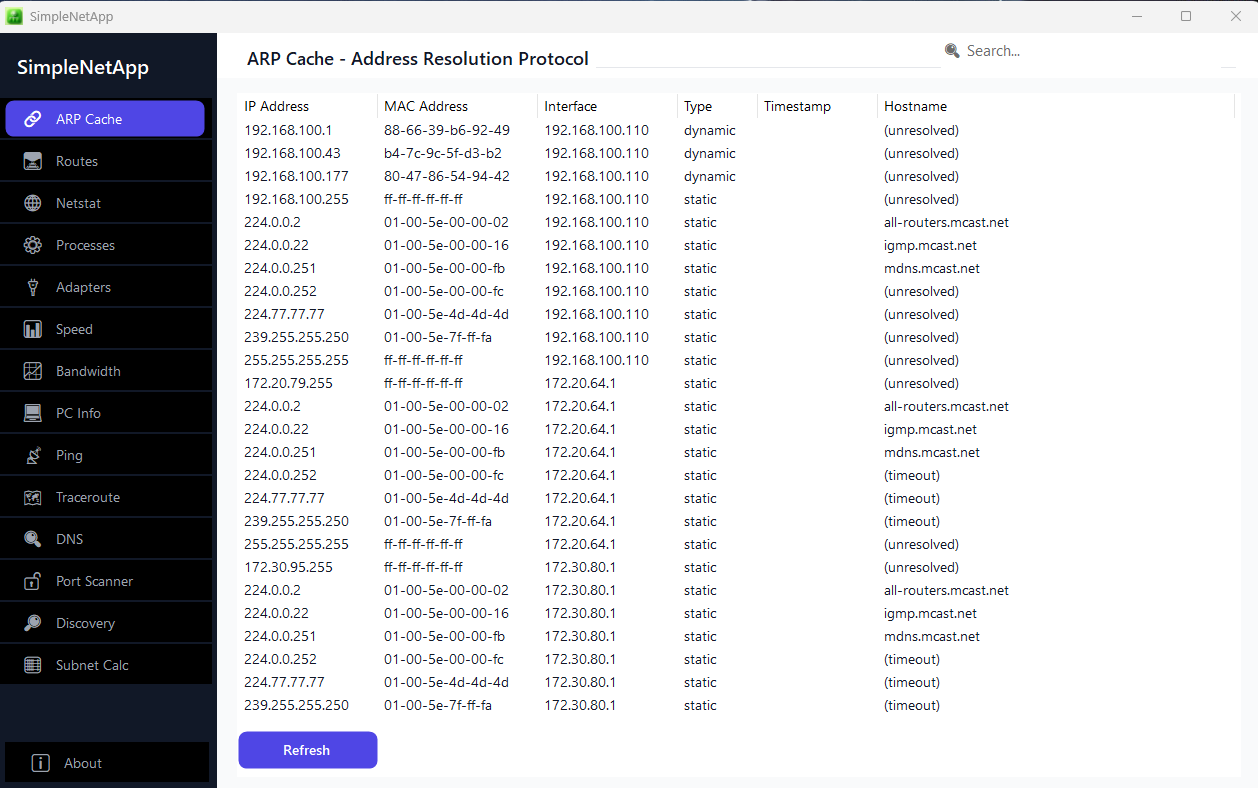
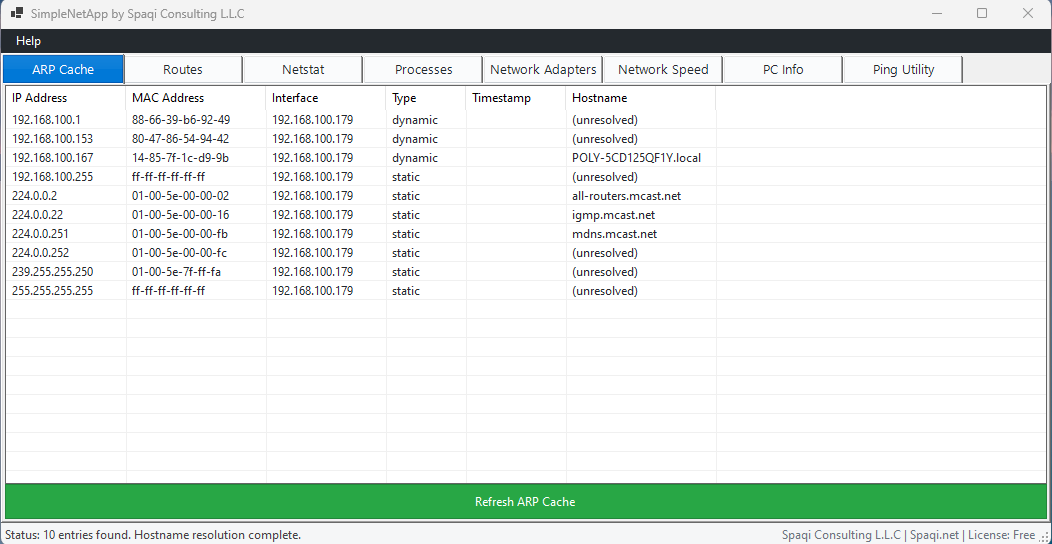
See every device your PC is talking to on the local network, with real-time hostname resolution. Spot unknown devices at a glance.
Examine your full IP routing table — destinations, gateways, and metrics — to understand exactly how traffic leaves your machine.
View active connections, listening ports, and which processes own them. Catch suspicious connections or hunt down a port conflict.
Watch real-time upload and download speeds per network interface. Instantly see what's using your bandwidth right now.
Test connectivity to any host with detailed response times. Quickly confirm whether a server, site, or device is reachable.
Complete hardware overview — CPU, memory, graphics, and more — without digging through five different Windows screens.
See running processes with live memory usage and status. Find the resource hog slowing your PC down in seconds.
Detailed info on every interface — IP addresses, DHCP, DNS servers, and MAC addresses — all on one screen, ready to copy.
From IT pros to tinkerers — if you've ever wondered what your PC is doing on the network, this is for you.
Troubleshoot connectivity and monitor performance fast.
Gather system & network details in one click for diagnostics.
Keep an eye on resources and network configuration.
Explore and understand your own hardware & network setup.
A clean, modern, tabbed interface inspired by the tools developers love
Download the complete network & system toolkit. No payment, no ads, no catch.
Price
Free
Free account required • Instant download • Windows 10 & 11