Security Suite

SharpScanner

Comprehensive System Security & Optimization Suite

Scan for vulnerabilities, detect malware, manage cookies, control startup programs, and monitor system performance — all from one powerful security dashboard. 100% local, no data collection.

Explore Features
Instant Download
🔄 Lifetime Updates
🔒 100% Local Scans
One-Time Purchase $7.99 No Subscription
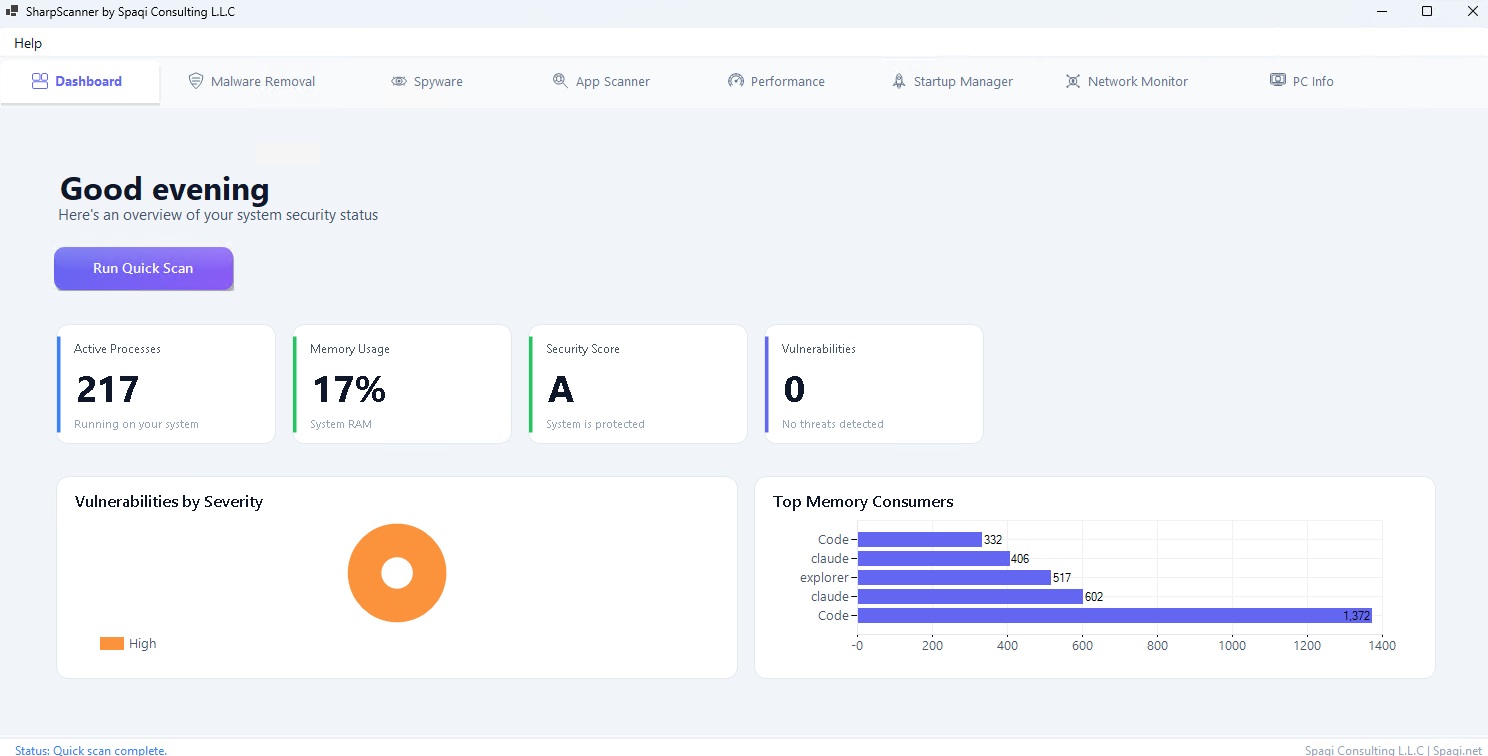
SharpScanner Dashboard

Complete Security Toolkit

Vulnerability scanning, malware detection, and system optimization in one suite

🔍

Vulnerability Detection

OSV Database integration with CVE queries to identify vulnerable applications installed on your system.

  • OSV Database Integration
  • CVE Vulnerability Queries
  • Severity Classification
🛡️

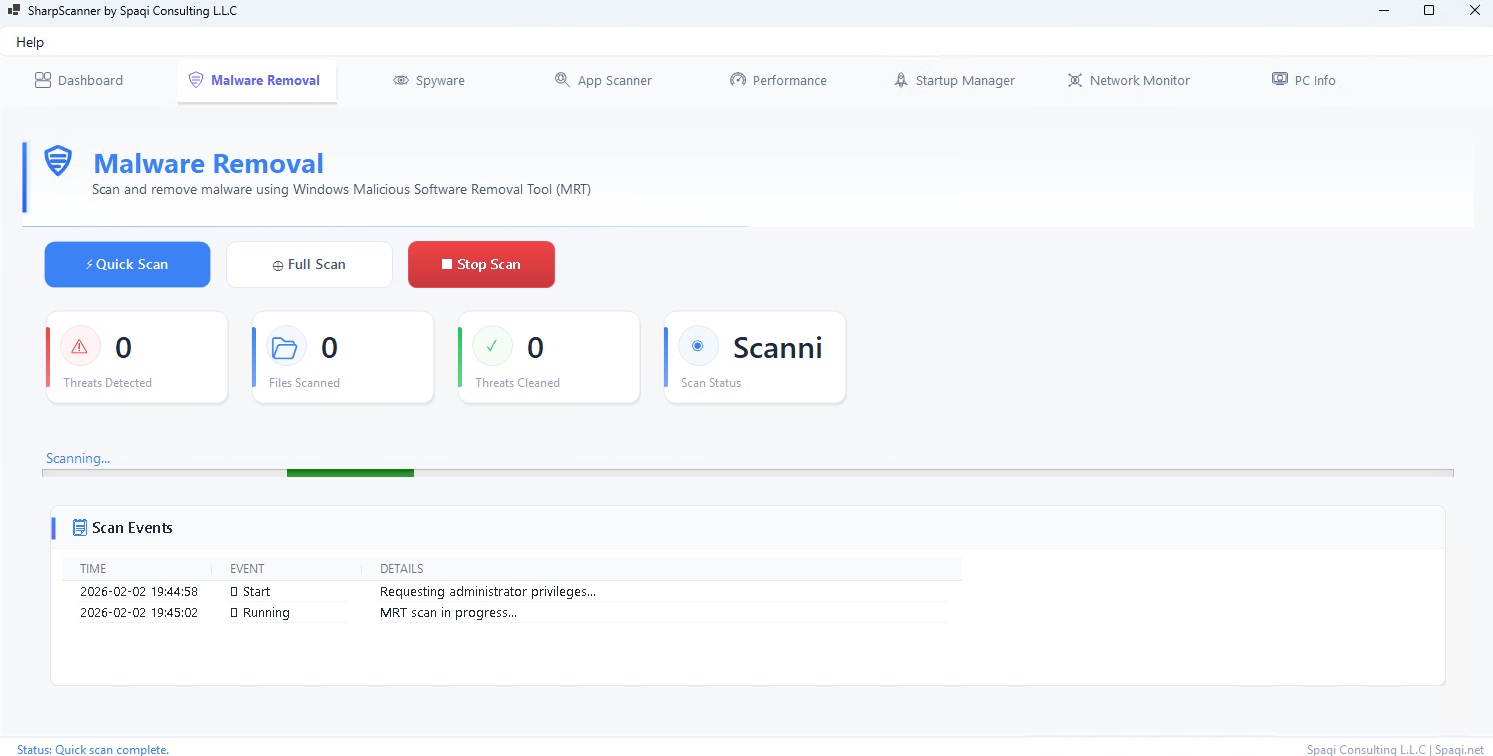
Malware Scanning

Real-time progress tracking using Microsoft's Malicious Software Removal Tool (MRT) for deep scans.

  • Windows MRT Integration
  • Real-Time Progress
  • Deep System Scan
🍪

Cookie Scanner

Multi-browser scanning for Chrome, Edge, Firefox, Brave, and Opera. Detects 60+ known tracker domains.

  • 5 Major Browsers
  • 60+ Tracker Domains
  • Privacy Protection
🚀

Startup Management

Control startup programs via registry, folders, and Task Scheduler. Speed up your boot time.

  • Registry & Folder Scan
  • Task Scheduler Support
  • Enable/Disable Control
📊

Performance Monitor

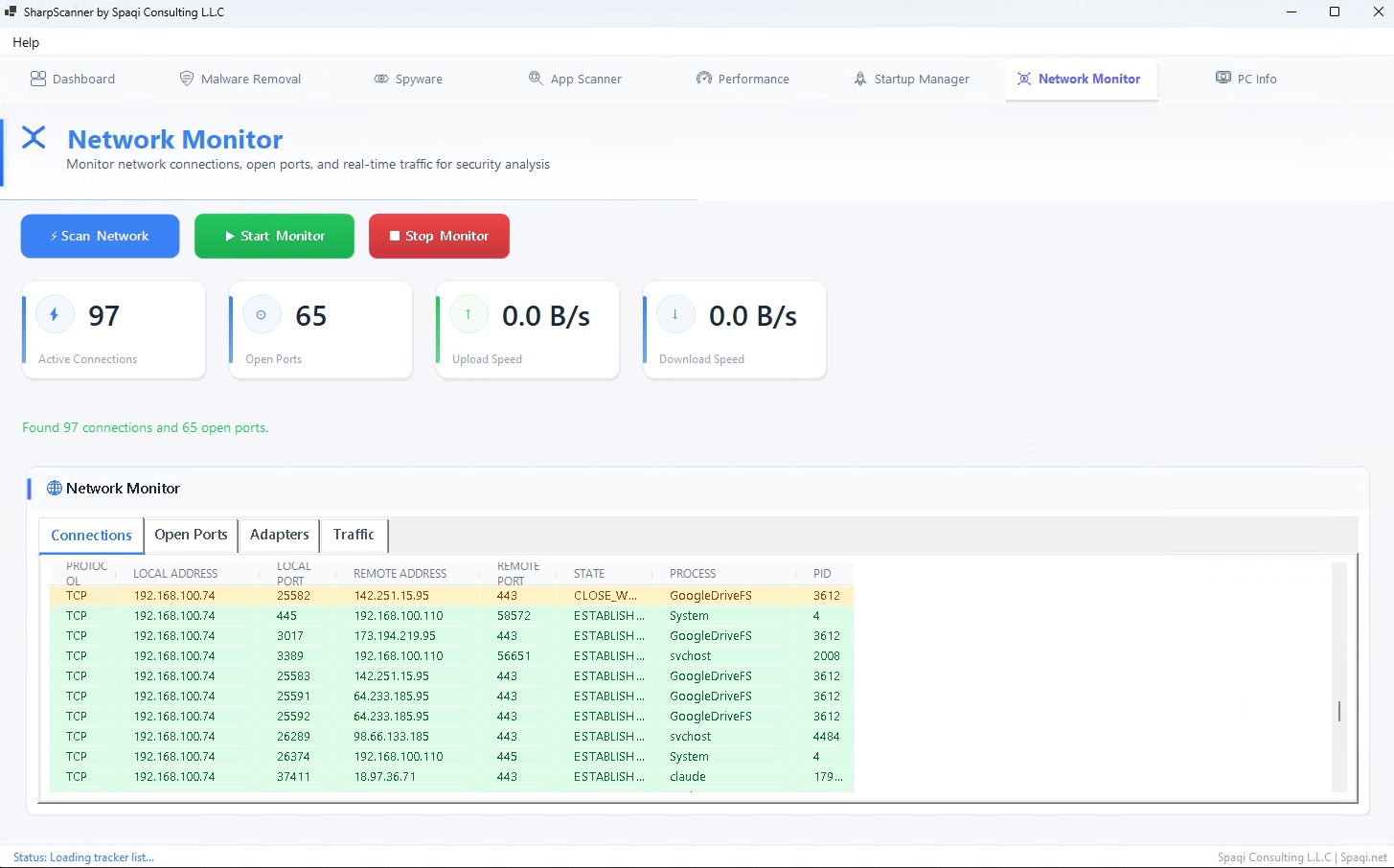
Live CPU, RAM, and disk usage monitoring with network connection and open port tracking.

  • Real-Time Metrics
  • Network Monitoring
  • Open Port Tracking
📈

Security Dashboard

Visual security score with vulnerability severity charts and system hardware information display.

  • Security Score
  • Severity Charts
  • Hardware Info

Dashboard Overview

Your central control hub for system health and security

Quick Scan

One-click rapid system analysis checking malware, performance, vulnerable apps, and privacy concerns. Results in seconds.

📋

Summary Cards

At-a-glance indicators for safe apps, vulnerable software, malware status, disk usage, and system uptime.

🍩

Severity Chart

Donut chart displaying critical, high, medium, and low vulnerability counts across your system.

📊

RAM Processes

Bar chart showing the most memory-hungry processes running on your system in real-time.

See It in Action

Modern interface designed for clarity

Troubleshooting

Quick solutions to common issues

No results after scan
Run SharpScanner as Administrator
MRT fails to start
Ensure C:\Windows\System32\mrt.exe exists
Cookie scan fails
Close all browsers before scanning
Chart not updating
Press Refresh or restart the app
App Scanner empty
Wait 10–15 seconds — reads from Windows Registry

What Users Say

Trusted by security-conscious users

★★★★★

"Found 3 vulnerable apps I didn't know about. The CVE database integration is amazing. Highly recommended!"

Alex M. Developer
★★★★★

"Love the cookie scanner! Found tracking cookies from 15 different domains across my browsers. Easy cleanup."

Jennifer L. Privacy Advocate
★★★★★

"The performance monitor helped me identify which processes were eating my RAM. Clean UI, no bloat."

Chris P. Power User

System Requirements

💻 Operating System Windows 10 (19041.0+) or Windows 11
🧠 Memory 2 GB RAM (4 GB recommended)
⚙️ Architecture x86 and x64 supported
🔑 Permissions Administrator access required

Ready to Secure Your System?

Get SharpScanner today and take control of your PC security

$7.99 One-Time Purchase • Lifetime Updates
Secure checkout • Instant delivery • No subscription