We use cookies to enhance your experience. Learn more

🛡 100% Free · Read-Only · Fully Local

Odyssey Sentinel

A complete security audit of your Windows PC — without changing a thing. Odyssey Sentinel reads your event logs for anomalies, checks Microsoft Defender and your antivirus, finds unsigned applications, detects rogue SSL certificates, and flags malicious browser extensions. It works in read-only mode, has no write permissions, and never sends your data to the cloud.

Always Free
Read-Only
No Cloud, No Tracking
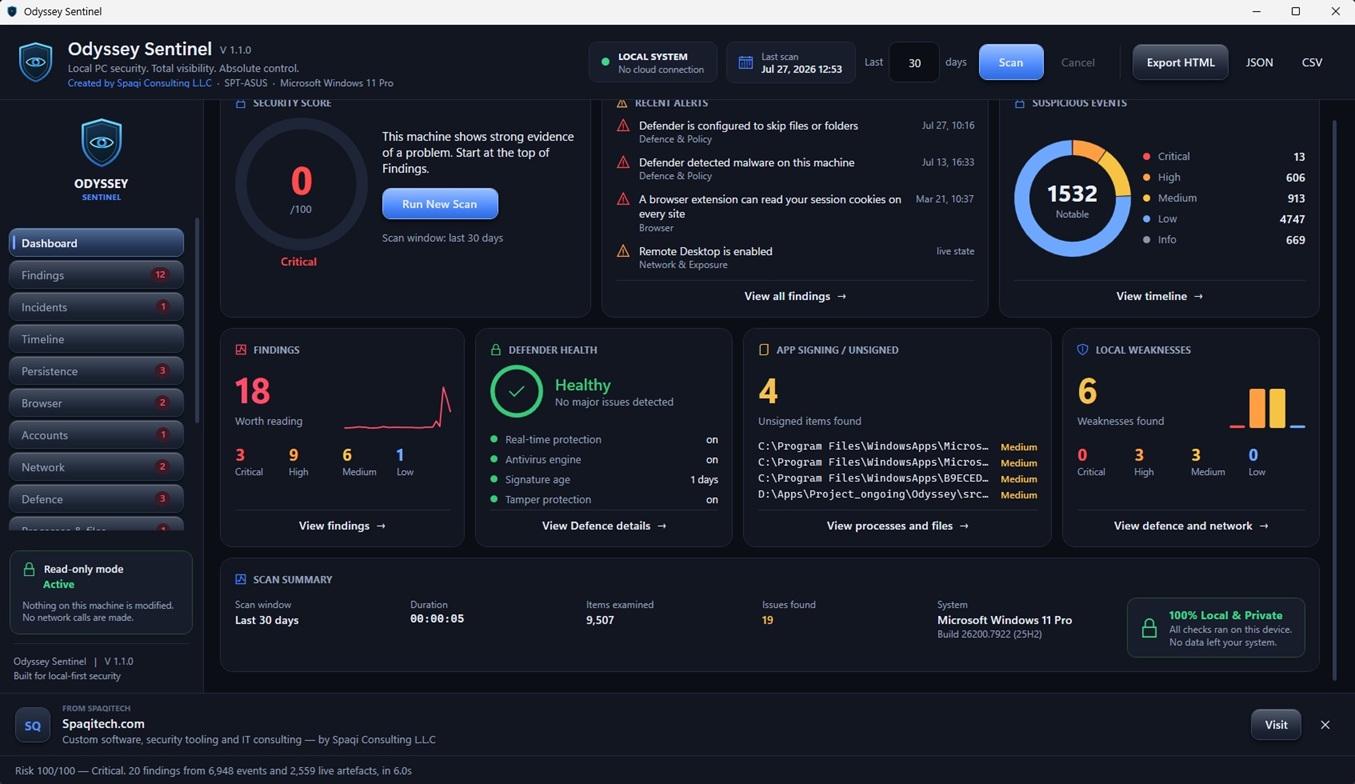
Odyssey Sentinel security dashboard

What Odyssey Sentinel Checks

Six audits across the places threats actually hide — all read-only.

Event Log Anomalies

Reads your Windows event logs and surfaces the anomalies worth a second look — so you find the odd entry without scrolling through thousands of them by hand.

Defender & Antivirus Status

Checks Microsoft Defender and your antivirus protection, then performs a full scan of the logs — confirming your defenses are actually on and working, not silently disabled.

Unsigned Applications

Scans for applications running without a valid digital signature — one of the clearest signals that a program is not what it claims to be.

Rogue SSL Certificates

Inspects your certificate store for rogue SSL certificates — the kind used to silently intercept and decrypt traffic you assume is private.

Malicious Browser Extensions

Checks your browsers for extensions known to be malicious — the add-ons that quietly read pages, hijack searches, or harvest what you type.

Read-Only by Design

Every check above runs in read mode. Odyssey Sentinel has no write permissions, so it can report what it finds but can never alter your system.

Safe by Design

It looks. It never touches.

A security tool should not be something else you have to trust blindly. Odyssey Sentinel is built so it simply cannot do harm.

Read mode only

Every scan is read-only. The app has no write permissions, so nothing on your system is modified, quarantined, or deleted.

No cloud, no uploads

Your logs, certificates, and findings never leave the machine. Odyssey Sentinel sends no data to the cloud — there is nothing to leak.

Totally local & safe

Everything runs on your PC, for your eyes only. Review the findings yourself and decide what, if anything, to act on.

See It In Action

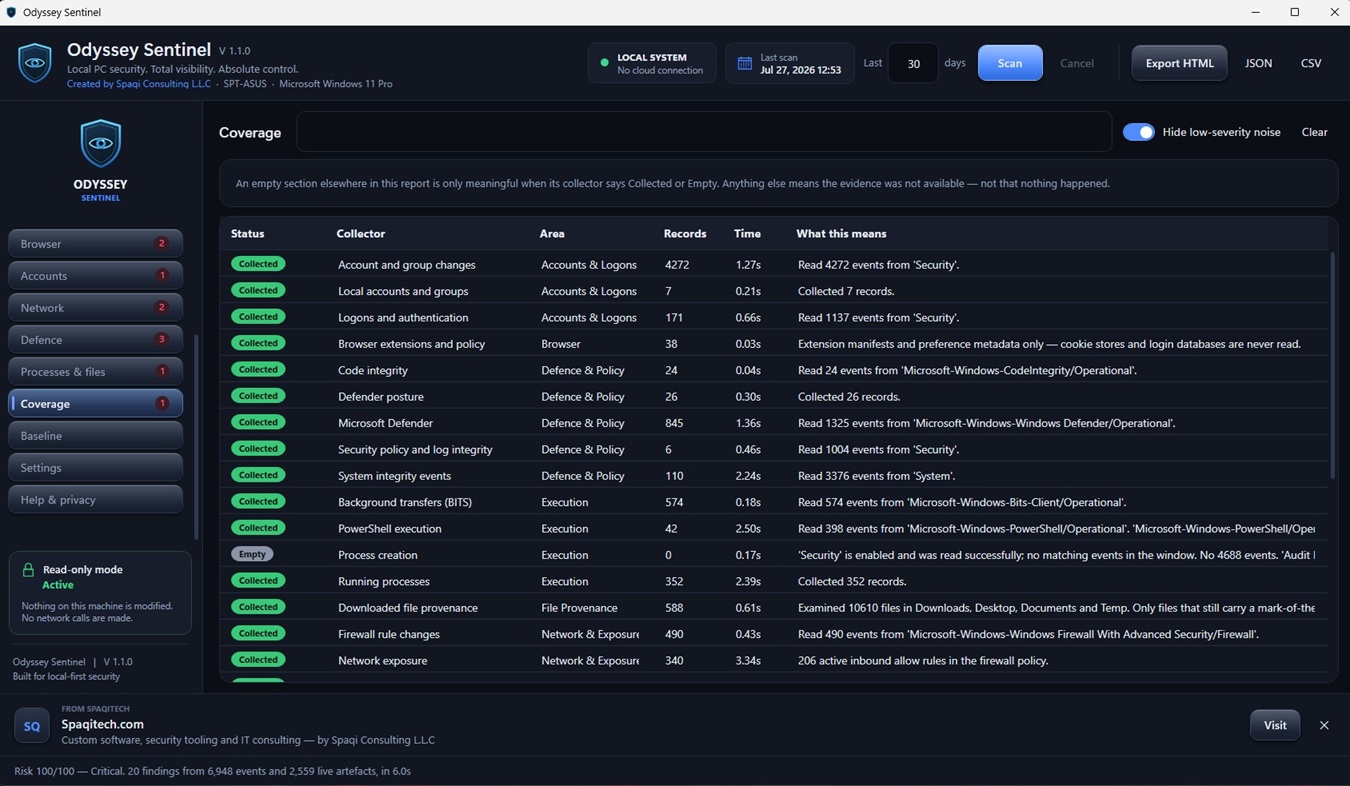
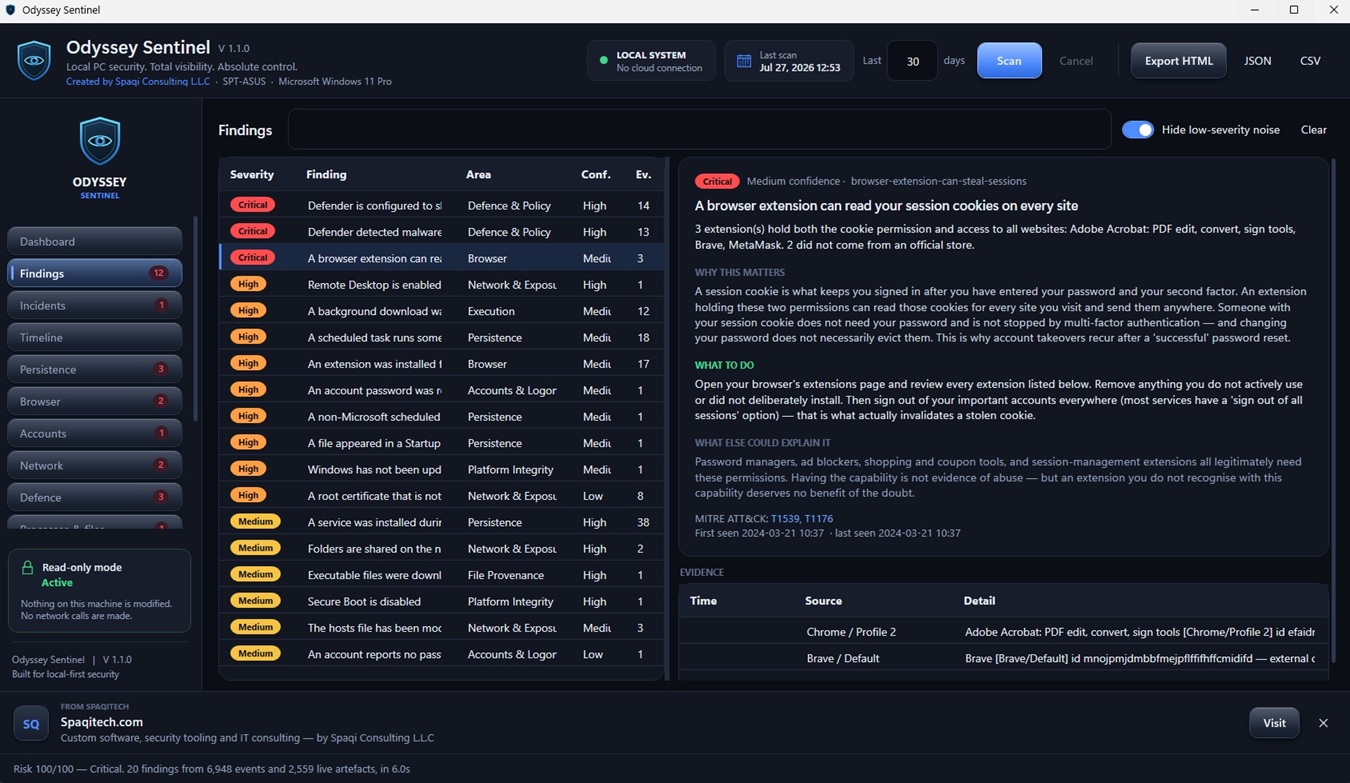
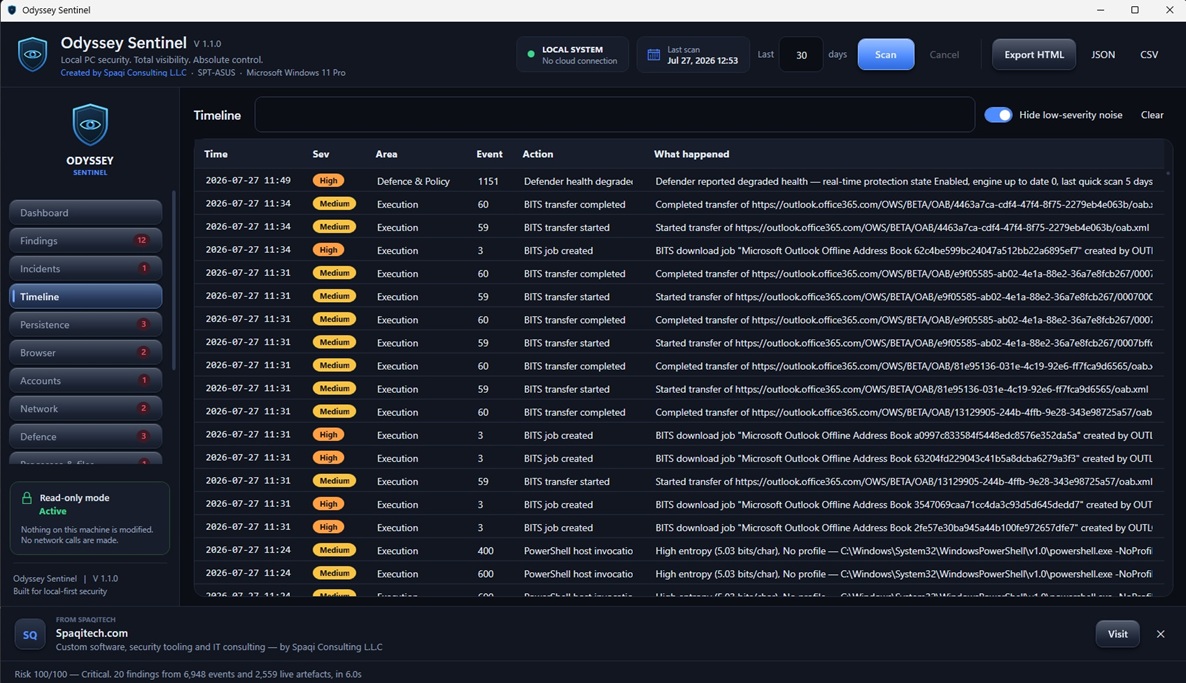
Clear coverage, readable findings, and a timeline of what happened on your PC

Odyssey Sentinel - audit coverage overview
Odyssey Sentinel - security findings report
Odyssey Sentinel - event timeline

Frequently Asked Questions

Common questions about Odyssey Sentinel before you download.

It reads your Windows event logs for anomalies, checks Microsoft Defender and your antivirus status with a full scan of the logs, scans for unsigned applications, detects rogue SSL certificates, and checks your browsers for malicious extensions.

No. Every check runs in read mode and the application has no write permissions, so it can report what it finds but cannot modify, quarantine, or delete anything on your PC.

No. Odyssey Sentinel runs entirely locally and sends no data to the cloud. Your logs, certificates, and findings never leave your machine.

Yes. Odyssey Sentinel is completely free. You only need a free Spaqitech account to download it.

No. Odyssey Sentinel is an auditor, not a replacement for antivirus. Because it is read-only it does not remove threats. Instead it checks that your existing protection is working and reports what looks wrong so you can act on it.

Odyssey Sentinel runs on Windows 10 and Windows 11 (64-bit).

Audit Your PC — Free

See what your event logs, certificates, and browser extensions have been hiding. Read-only, local, and free.

Price

Free

Download Free (64-bit)

Free account required • Instant download • Windows 10 & 11