We use cookies to enhance your experience. Learn more

Windows Repair Toolkit

WinRepairSuite

A comprehensive Windows repair and diagnostics suite. Fix system files, repair boot issues, reset network and firewall, run memory diagnostics, manage drivers, and securely delete files — all from one clean, modern dashboard.

One-time purchase

$9.99

Try Free (64-bit) 32-bit
Instant Download
No Subscription
Lifetime Updates
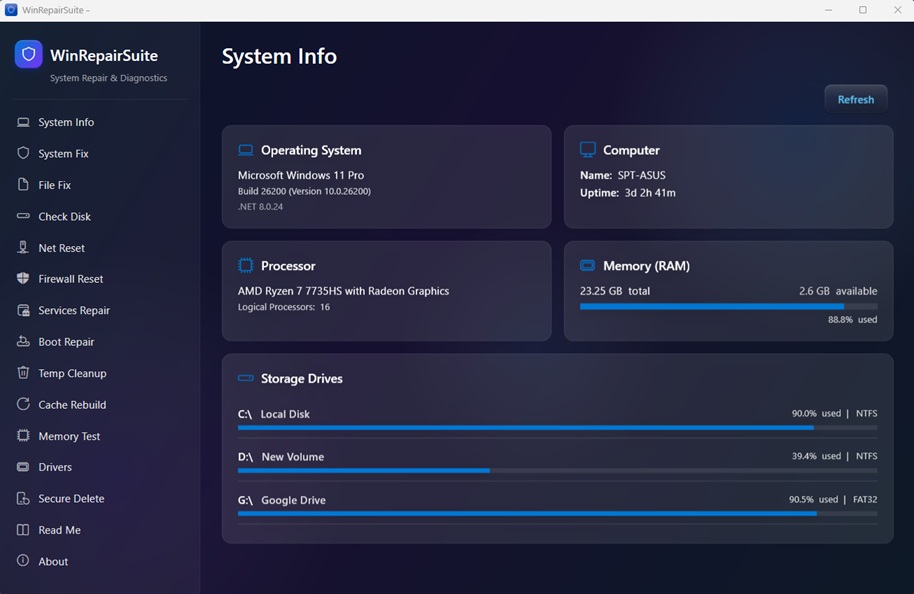
WinRepairSuite Dashboard

Comprehensive Repair Tools

Everything you need to diagnose, repair, and optimize your Windows PC

SFC & DISM Repair

Run System File Checker and DISM with one click. Detect and repair corrupted Windows system files automatically without touching the command line.

Boot Repair

Fix boot configuration issues, repair the BCD store, and restore boot records. Get your PC starting up properly again with guided repair tools.

Network & Firewall Reset

Reset Winsock, TCP/IP stack, DNS cache, and Windows Firewall to defaults. Fix connectivity issues and restore blocked connections instantly.

Memory Diagnostics

Run Windows Memory Diagnostic to detect RAM errors and hardware faults. Identify memory-related crashes and instability with built-in testing tools.

Driver Manager

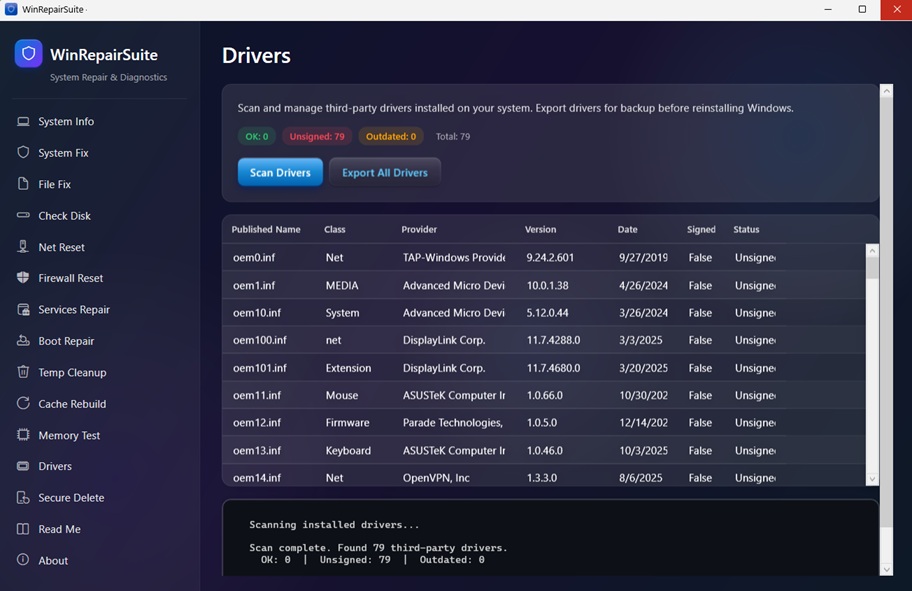
View installed drivers, check for outdated or problematic entries, and manage device drivers. Keep your hardware running with the right driver versions.

Temp Cleanup & Secure Delete

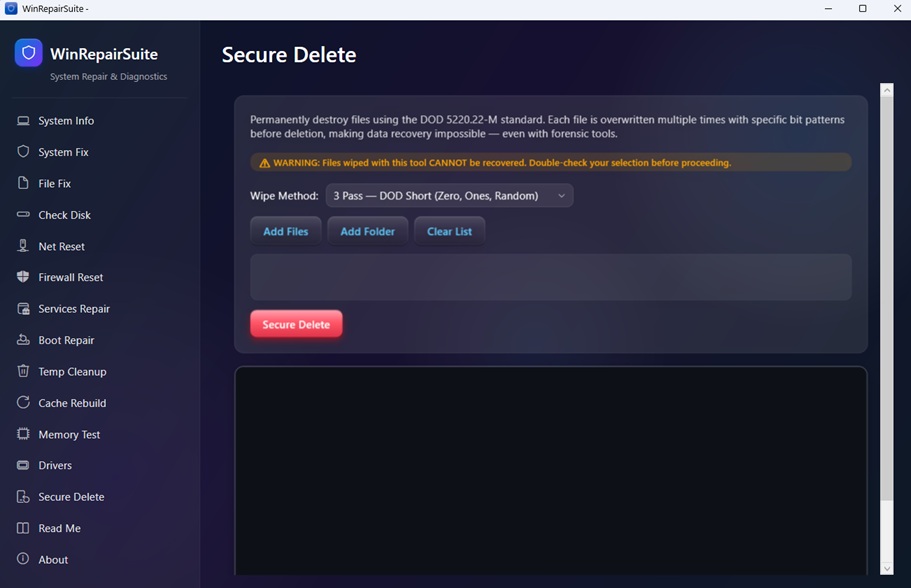
Clean temporary files, rebuild system caches, and securely delete sensitive files with multi-pass overwrite. Free up disk space safely.

See It In Action

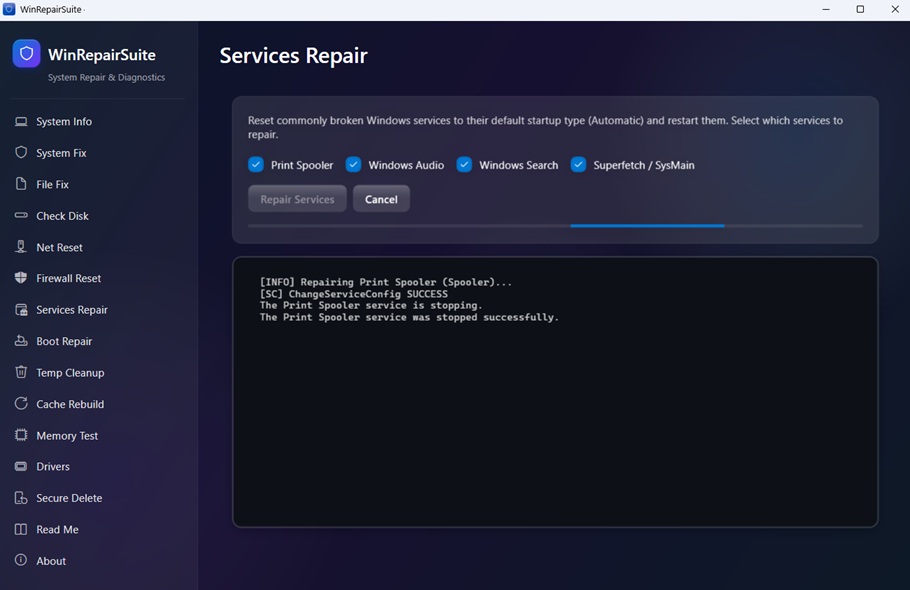
Clean, modern dashboard with powerful repair tools

WinRepairSuite Dashboard - main system repair interface
WinRepairSuite - SFC and DISM repair tools
WinRepairSuite - Network and firewall reset tools
WinRepairSuite - Memory diagnostics and system info

What Users Say

Trusted by IT professionals and home users worldwide

"Fixed my boot issue in minutes! I was about to reinstall Windows but this tool saved me hours of work. Incredibly easy to use."

Home User

Desktop PC

"I deploy this on every client machine I service. SFC, DISM, network reset, all in one place. Saves me so much time compared to running commands manually."

IT Technician

IT Services

"The secure delete and temp cleanup features alone are worth the price. Clean, lightweight, no bloatware. Exactly what a repair tool should be."

Power User

Laptop

System Requirements

Minimum

  • Windows 10 (19041.0+) or Windows 11
  • 2 GB RAM (4 GB recommended)
  • x86 or x64 architecture

Note

  • Administrator access required
  • No background services needed

Ready to Repair Your PC?

Get WinRepairSuite today and take full control of your Windows system repairs

One-time purchase

$9.99

Try Free (64-bit) 32-bit

Secure checkout via Paysera. Instant download after purchase. No subscription required.