We use cookies to enhance your experience. Learn more

Free trial · Windows 10 & 11

XcelPilot

A spreadsheet for Windows that runs entirely on your machine. 175 functions, dynamic arrays and Flash Fill, with no account, no cloud and no telemetry.

One-time purchase

$19.99

Try Free
Instant Download
One-time payment
Windows 10 & 11

XcelPilot running on Windows

What it does

Everything runs locally. Nothing it does depends on a network.

A real calculation engine

175 functions calculate on your machine, including the ones people actually reach for: XLOOKUP with full match and search modes, SUMIFS, COUNTIFS, INDEX and MATCH, SUMPRODUCT, NETWORKDAYS, and the finance set - PMT, FV, PV, NPV and IRR.

Dynamic arrays that spill

FILTER, SORT, SORTBY, UNIQUE, SEQUENCE, TRANSPOSE, TAKE, DROP, CHOOSEROWS and CHOOSECOLS return live ranges that expand into the cells around them. A formula that cannot spill tells you why, instead of silently writing the wrong answer.

Reproducible by design

RAND and RANDBETWEEN are deliberately not supported, so recalculating never changes a number behind your back. TODAY and NOW resolve once per pass, so every cell in a workbook agrees on the date.

Flash Fill that knows when to stop

Finish a column from the examples you type beside it - splitting a name, taking the part before an @, building initials, pulling the digits out of a phone number. It fills only when one rule explains every example. When two disagree, it stops and says so rather than guessing.

Validation that refuses, not scolds

Restrict a range to a list, a whole number, a decimal, a date range, a text length or a checkbox - and the entry is refused as you type, rather than the cell being coloured after the damage is done. List rules read their options from a range, so the dropdown stays current.

Conditional formatting, live in the grid

Colour scales, data bars, top and bottom N, comparisons, text matches and duplicate values - all rendered as you work, not on a redraw.

Opens what you already have

Imports .xlsx, .xlsm and UTF-8 CSV. The original file is never modified: it is read into a working copy, so nothing you do can damage the source. Unsafe or unsupported formulas are quarantined as text and listed in the import summary rather than being run.

A grid you can actually read

Freeze the header row, or everything above and left of a chosen cell. Double-click a column edge to fit the widest value. The status bar reports Count, Numeric, Min, Max, Average and Sum for the selection, plus how many rows a filter is hiding.

Your files stay yours

XcelPilot opens, calculates, edits and saves workbooks locally. There is no account to create and nothing to sign in to. Open it on a laptop with the Wi-Fi switched off and it behaves exactly as it does online, because nothing it does depends on a network.

If you work with client data, payroll, medical records or case files, that is not a setting you have to remember to switch on. Nothing is uploaded, nothing is synced, and no telemetry is collected.

Results are reproducible on purpose. RAND and RANDBETWEEN are deliberately not supported, so recalculating never changes a number behind your back, and TODAY and NOW resolve once per pass so every cell in a workbook agrees on the date.

It imports .xlsx, .xlsm and UTF-8 CSV, and never modifies the original file - it is read into a working copy. Formulas that are unsafe or unsupported are quarantined as text and listed in the import summary rather than being run.

See it in action

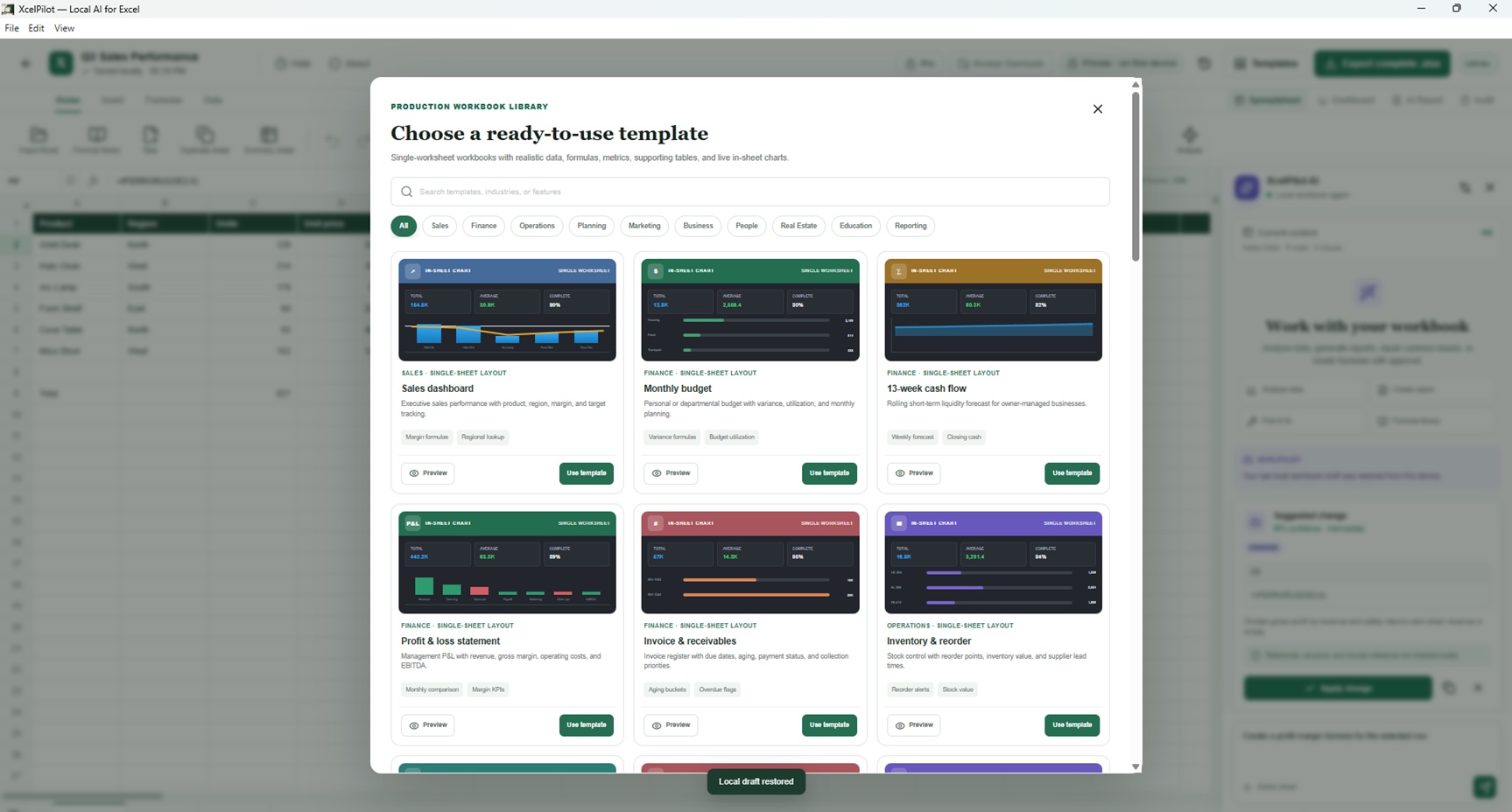
XcelPilot template view
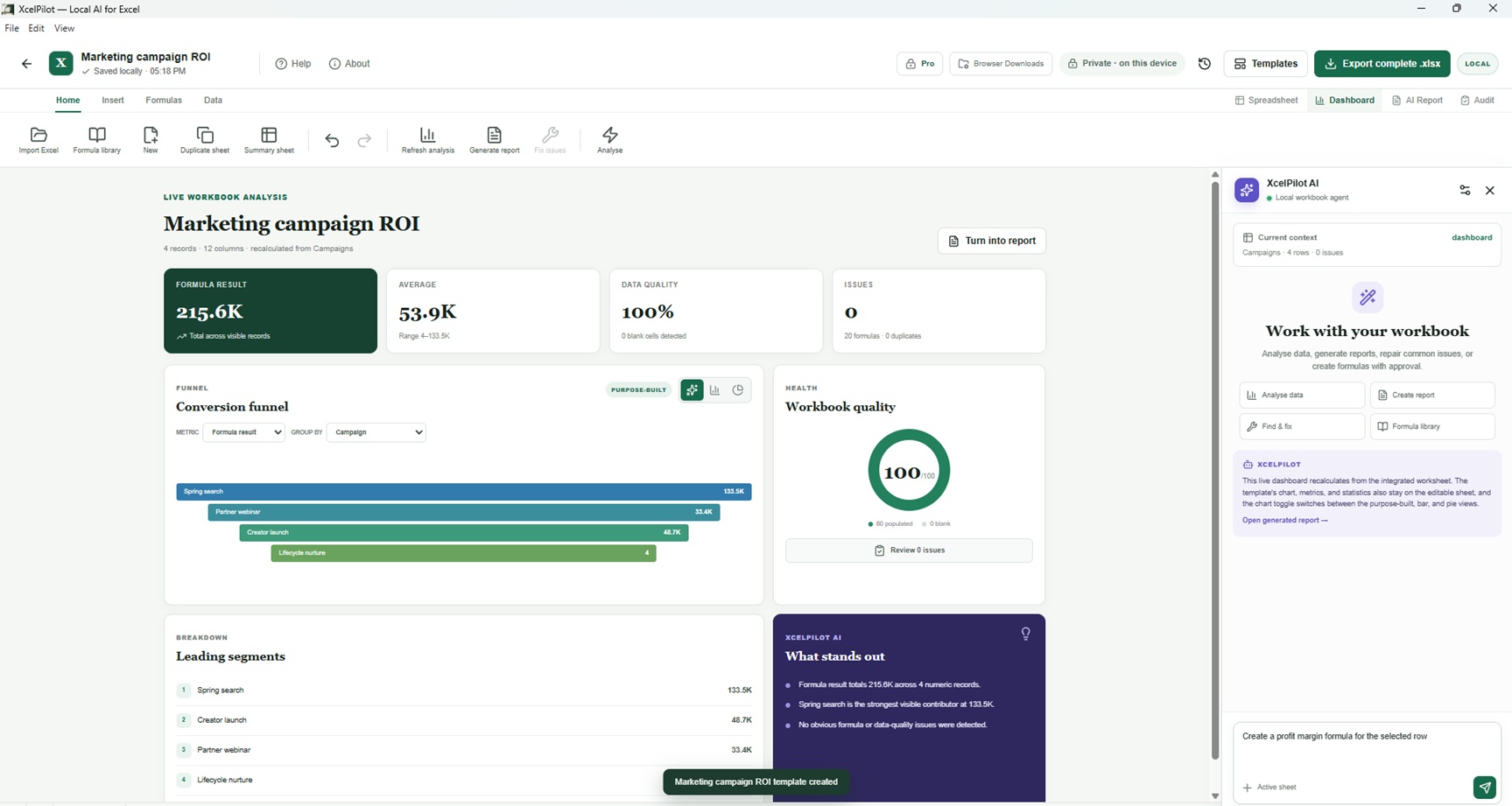
XcelPilot in use

Frequently Asked Questions

Common questions about XcelPilot.

Yes. Download and try XcelPilot before you buy, using the Try Free button on this page.

Neither. There is no account to create and nothing to sign in to. Workbooks are opened, calculated, edited and saved on your own machine, so it behaves the same with the Wi-Fi switched off. Nothing is uploaded or synced, and no telemetry is collected.

Yes - .xlsx, .xlsm and UTF-8 CSV. The original file is never modified; it is read into a working copy. Formulas that are unsafe or unsupported are quarantined as text and listed in the import summary rather than being run.

175, including XLOOKUP, SUMIFS, COUNTIFS, AVERAGEIFS, INDEX and MATCH, VLOOKUP, SUMPRODUCT, NETWORKDAYS, WORKDAY, EOMONTH and the finance set (PMT, FV, PV, NPV, IRR). Dynamic arrays such as FILTER, SORT, UNIQUE and SEQUENCE spill into the cells around them. RAND and RANDBETWEEN are deliberately not supported, so a recalculation never changes a number behind your back.

No. It is a local, deterministic engine that recognises a fixed set of workbook requests. It is not a language model and it sends nothing anywhere.

XcelPilot runs on Windows 10 and Windows 11, 64-bit.

No. XcelPilot is a one-time purchase. There is no recurring charge and no card kept on file.

Watch Demo

See XcelPilot in motion

A quick look at XcelPilot in action.

Try XcelPilot free

Download it, use it, and buy only if it earns its place.

One-time purchase

$19.99

Try Free

Secure checkout via PayPal. Instant download after purchase.